
A log tells you what happened. Until now, doing something about it meant leaving the log for a slash command or Discord's member menu, and finding the right person again. Action buttons put the fix on the log itself: a moderator presses Time out 1h on a Message Deleted log, confirms, and it's done.
This guide adds a button to your mod log in a few minutes. Action buttons are part of Log Formats and need Quark Pro.
What an action button can do
A button runs up to four actions, in order, on the person a log is about or the person who did it:
- Tell a channel
- Time someone out (60 seconds to a week), or remove a timeout
- Kick, ban or unban someone
- Delete the message
- Give or take a role
- Send someone a DM
A log can carry up to 5 action buttons, beside its link buttons and Quark's own.
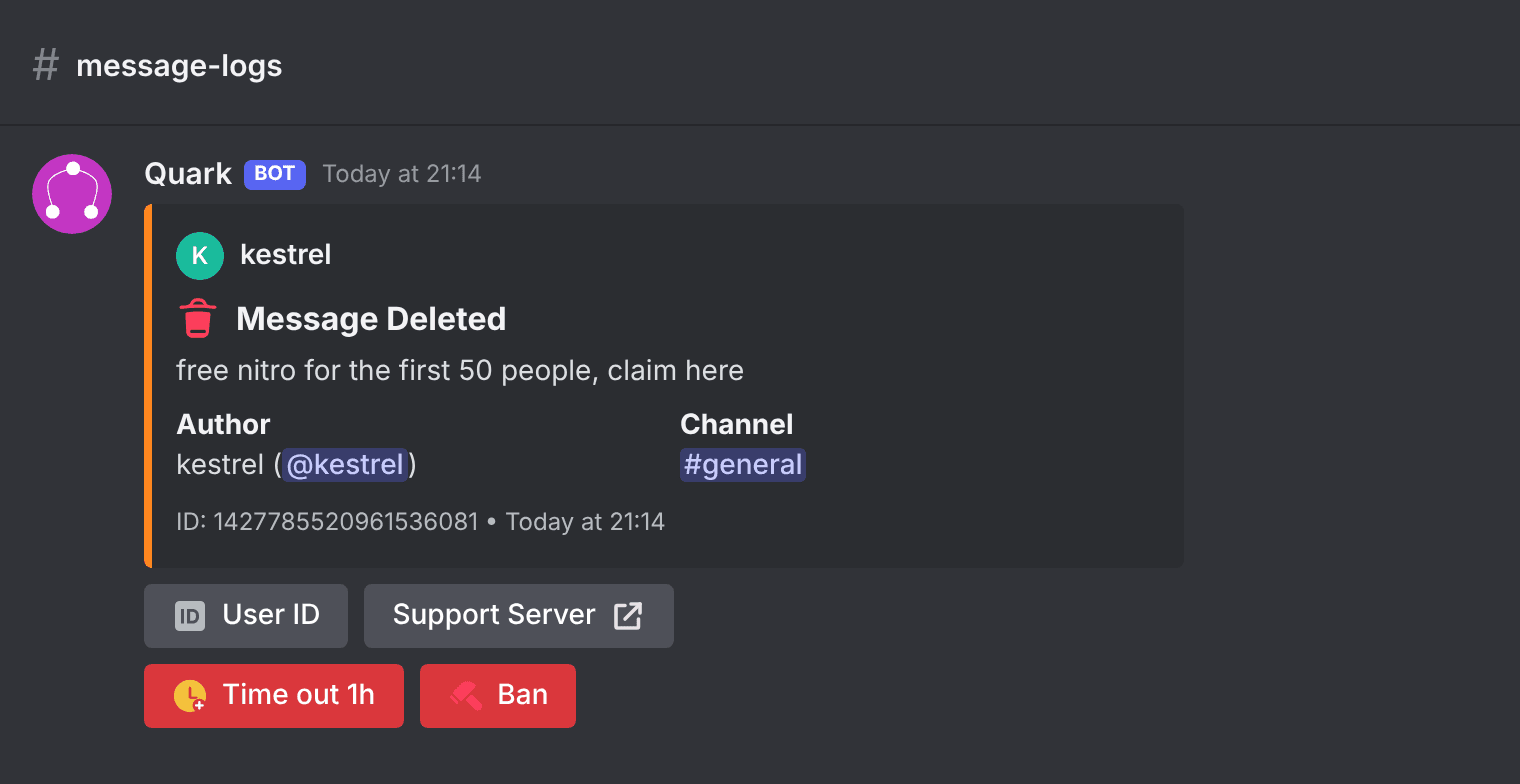
Tutorial: add a "Time out 1h" button to deleted messages
- Open Log Formats in the dashboard. Open the format your server uses, or press Create a format to make one.
- Pick Message Deleted from the log menu and press Change something.
- Choose Change the buttons, then under Add a button, press Action button.
- Set the Label to
Time out 1hand the Colour to Red. - Press Add an action and choose Time someone out, the person it happened to, for 1 hour.
- Optional: press Add a condition to put the button only on some logs, for example only when the account is new. With no conditions, every Message Deleted log gets the button.
- Under Who can press it, choose Only certain roles if you want to limit it to, say,
@Moderators. - Press Add button, then Save format. If the format isn't the one in use yet, press Use this format.
To put a button on every log, pick All logs at once at the end of the log menu in step 2.
What happens when someone presses it
- Quark checks the person pressing, every time. They need the Discord permission for each action (Timeout Members for a timeout, Ban Members for a ban), and their highest role must be above the member's.
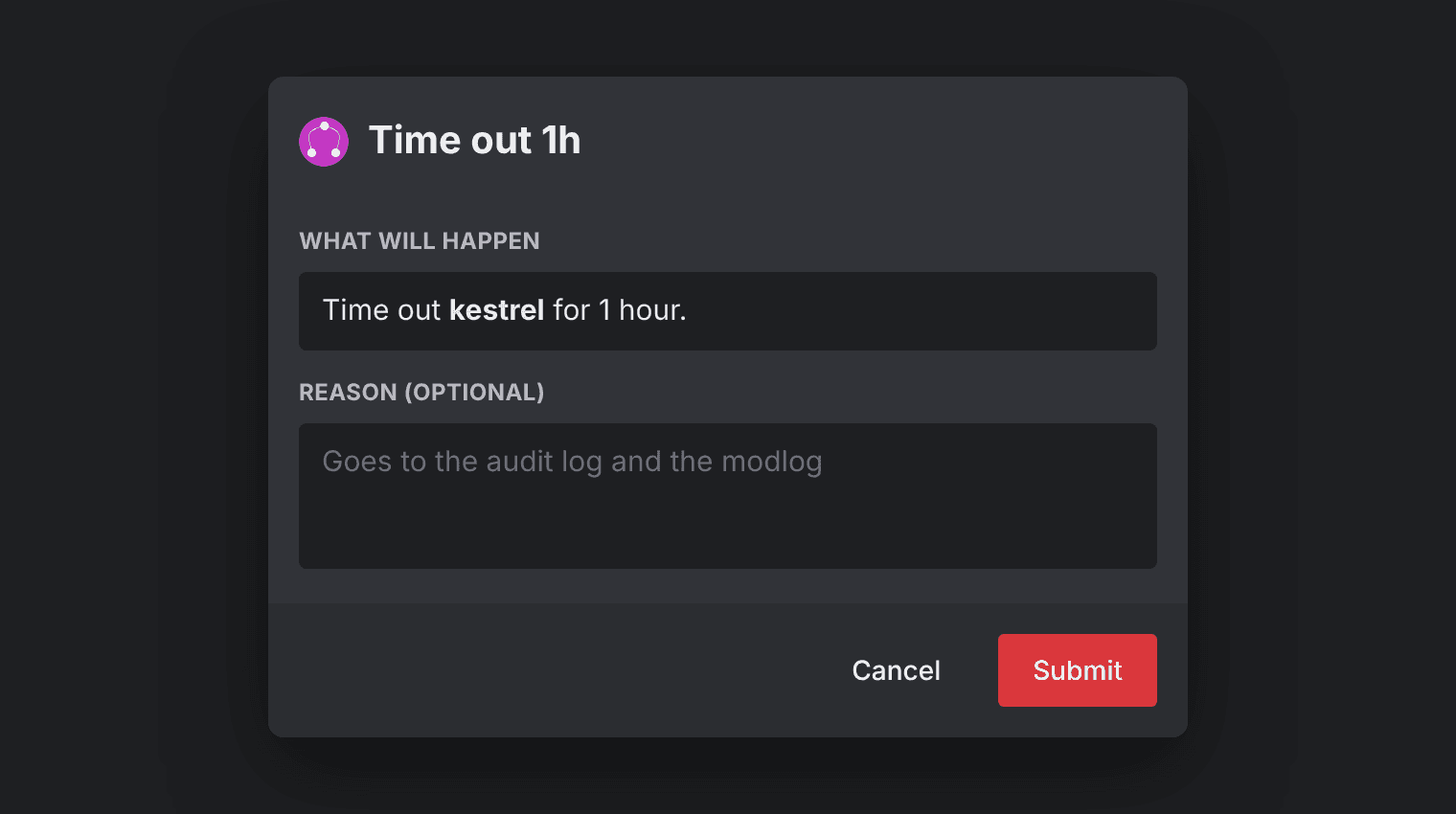
- A moderation button asks first. It opens a confirmation box listing exactly what will happen, with an optional Reason that goes to Discord's audit log and the modlog. A button that only sends a message acts straight away.
- Everything is recorded. The timeout or ban is logged as usual and names the moderator who pressed. The press itself is a Rule Action log titled "Button Pressed".
Guard rails
- Moderation buttons can't be used by someone on themselves.
- A log where Quark isn't sure who did something never gets a button that acts on the person who did it.
- A server's buttons send one member at most 3 DMs an hour, and 60 messages an hour in all.
- Changing an action button needs Manage automations and Manage log settings under Dashboard Access, plus the Discord permission for each action.
- Buttons are left off formats that can't hold them: Compact (no embed), JSON and one-line text logs.
Buttons or automations?
Both use the same actions and conditions. The difference is who decides:
| Automations | Action buttons | |
|---|---|---|
| Who acts | The rule, automatically | A moderator, by pressing |
| Best for | Clear-cut cases: scam links, raids, alerts | Judgement calls: a heated argument, a borderline message |
| Plan for moderation | Every plan | Quark Pro |
Many servers use both: a rule alerts the team, and the log it alerts about has the button to act on it.
FAQ
Can anyone who sees the log press a ban button?
No. Quark checks the person pressing every time. They need the Discord permission for each action the button takes and a highest role above the member's, and you can narrow it further to certain roles.
Is there a confirmation before a button bans someone?
Yes. Every button that moderates opens a confirmation box, written by Quark, listing exactly what will happen, with an optional reason for the audit log and the modlog.
Which plan do action buttons need?
Action buttons need Quark Pro. Link buttons, such as Jump to message, are available to any format.
Do shared log formats include action buttons?
No. A format shared by link never carries action buttons, because they name your server's channels and roles.
New to formats? Start with how to customise Discord log messages, or read the full guide to action buttons.


