Changelog

Quark logs what happens in your server. This is the log of what happens to Quark.

RSS feed
  1. Improved

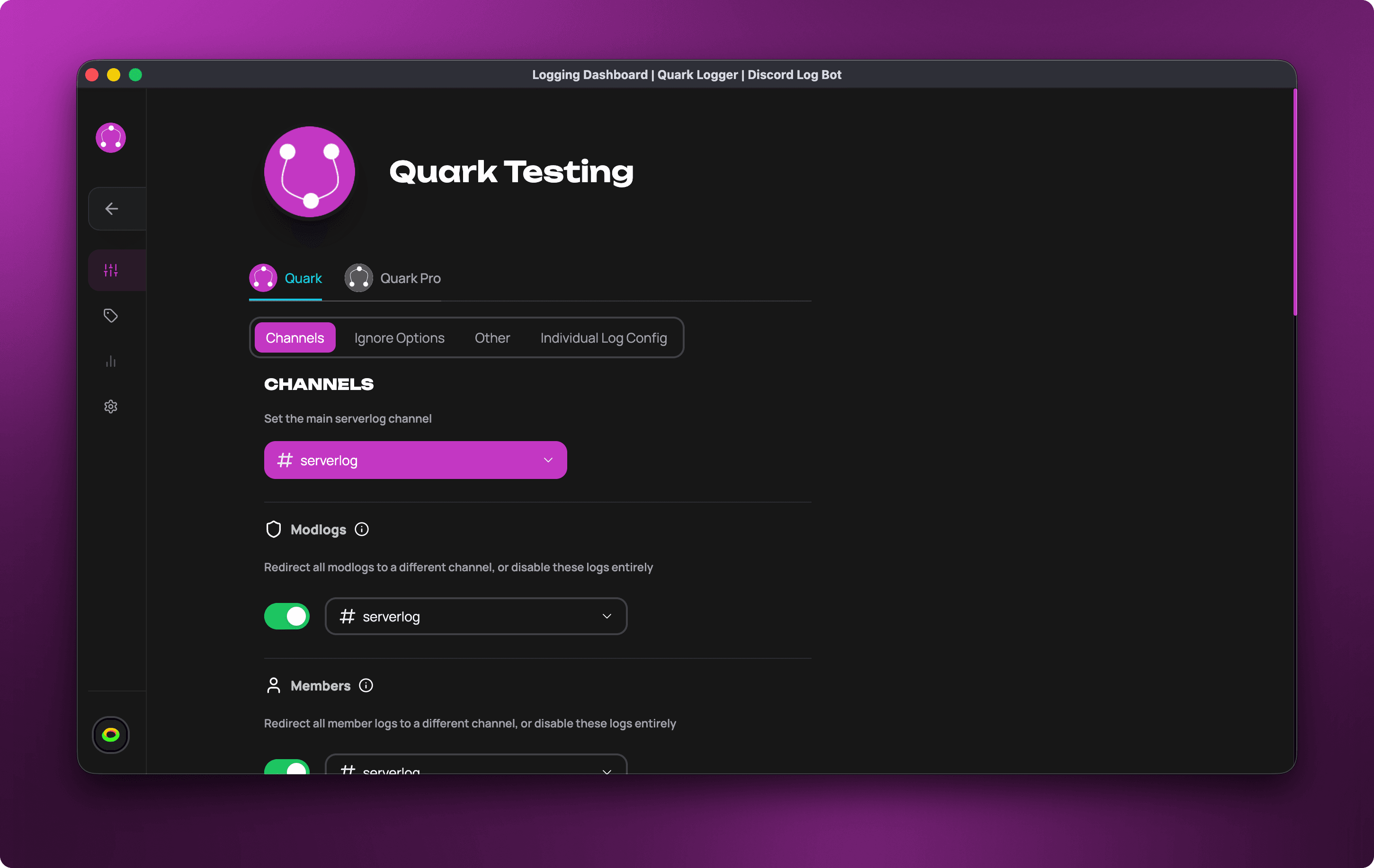
    A clearer dashboard

    Every page of the dashboard has been rearranged so that things are where you look for them. Your settings were not changed, and each one does what it did before.

    • Logging has a status column beside your settings, with a Health card that says whether your logs are being delivered.
    • Channels shows each category on one line, with the log types it covers. A category with no channel of its own now says "Uses main channel".
    • Ignore Rules, formerly Ignore Options, are grouped by people, roles, channels, messages and bots.
    • Individual Log Config has a search box, and marks the log types you have switched off or changed.
    • A change is confirmed in one place, beside the page's tabs, instead of with a pop-up each time.
    • The troubleshooter is a checklist in the order a log travels, and shows what passed as well as what did not.
    • The bell lists recent changes to your settings and who made them.
    • The sidebar stays open on wide screens.
    • The Analytics page has been removed.

    Fixed

    • Entries under the bell no longer read "Notification Error".
  2. New

    Share the dashboard with your moderators

    Until now, opening a server's dashboard took Manage Server or a similar permission in Discord. That is more than a moderator who only needs to read logs should have.

    Under Settings → Dashboard Access you can now give a role or one person part of the dashboard:

    PresetWhat it allows
    Log viewerRead the log viewer, including history
    Log analystRead and export logs
    ModeratorThe above, plus the ignore rules and switching log types on and off
    Log configuratorA moderator, plus which channel each log goes to
    Full accessEverything except managing access, API tokens and billing

    Or choose Custom and tick the individual permissions.

    • Pages someone can see but not change are marked read-only for them.
    • Access never unlocks a paid feature: log history and export still follow the server's plan.
    • Take the role away from a member in Discord and their access goes with it.

    More in the guide to sharing access.

  3. New

    A troubleshooter for missing logs

    When logs stop arriving, the cause is usually a deleted channel, a missing permission or an ignore rule that covers more than was meant. Quark can now find those itself.

    Press the stethoscope button at the top of the dashboard, or run /troubleshoot in your server. The troubleshooter checks your configuration, Quark's permissions in each log channel and the path a log takes to reach Discord, then lists what it found with the most serious first.

    • Where a problem needs no decision from you, there is a button that fixes it.
    • Send a test log sends one real log through the whole delivery path and tells you whether it arrived, or where it stopped.
    • If Quark has already found a problem, the Logging page says so before you ask.

    The troubleshooting guide explains each finding.

  4. New

    Log Viewer: your logs on the web

    Your logs have always lived in a Discord channel, which is a good place to see them arrive and a poor place to find one again. The Log Viewer puts the same logs on the web. Open it from Log Viewer in the dashboard sidebar.

    • Live. New logs appear at the top as they happen.
    • Details. Click an entry to see who did it, who it was done to, the channel, the reason and the message. Edits show the text before and after.
    • Filters. By time, category, log type, channel, member and role. Your filters are part of the page address, so a filtered view can be sent to another moderator as a link.
    • Ask in plain words. Type "messages deleted by @someone this week" or "who was banned yesterday" and Quark turns it into filters. Your question is handled on Quark's own servers and is not sent to an outside AI service.

    What each plan gets

    FreePro LiteQuark Pro
    Live feedYesYesYes
    HistoryLast hourLast hour30 days
    Export CSVNoNoYes

    The last hour of history on Free and Pro Lite was added in September; at launch those plans had the live feed only.

    Logs keep being posted to your Discord channels as before. The plan only changes how far back you can look on the web.

  5. New

    A new website and dashboard

    The website and the dashboard were redesigned from the ground up.

    • Home page. Rebuilt, with a live preview of what Quark's logs look like.
    • Choosing a server. A cleaner list with search, and you can pin the servers you open most. Pins follow your account from device to device.
    • Dashboard. A reorganised sidebar, clearer headings and one consistent look across the settings pages.
    • Walkthrough. The first time you open a server's dashboard, a short tour takes you through setting a log channel and the settings that matter most.
    • Light mode has been reworked rather than left as an afterthought.

    The full story is on the blog: Quark Logger's 2026 Website Refresh.