
To filter swear words on Discord, you need something that checks text against a list of words and does something when one matches. Discord's built-in AutoMod covers new messages. Quark's automations cover everything Quark logs: edited and deleted messages, file names, nicknames, ban reasons and voice channel statuses, with ready-made lists of swear words, scam links and risky files.
The lists Quark gives you
Every list works on every plan, and the builder shows what each one holds and where it comes from.
| List | What it catches |
|---|---|
| Swear words | In English, German, Spanish, French, Polish, Portuguese and Turkish |
| Scam and phishing links | Known scam and phishing addresses |
| Link shorteners | Short links that hide where they go |
| Discord invite links | Invites to other servers |
| Risky file types | Files such as .exe and .scr |
Or make your own list of up to 200 words and phrases: type one and press Enter, or paste several at once.
How matching works
- Whole words only.
assis not found in "class". - Case doesn't matter, and neither do full-width letters or extra spaces, the usual tricks for slipping past a filter.
- Links are matched as addresses. A web address on the list matches the addresses in the message.
- File types match the end of a name.
.zipmatchesnotes.zip, andIMG_1234.jpgis not caught by.img.
Tutorial: flag swearing in deleted and edited messages
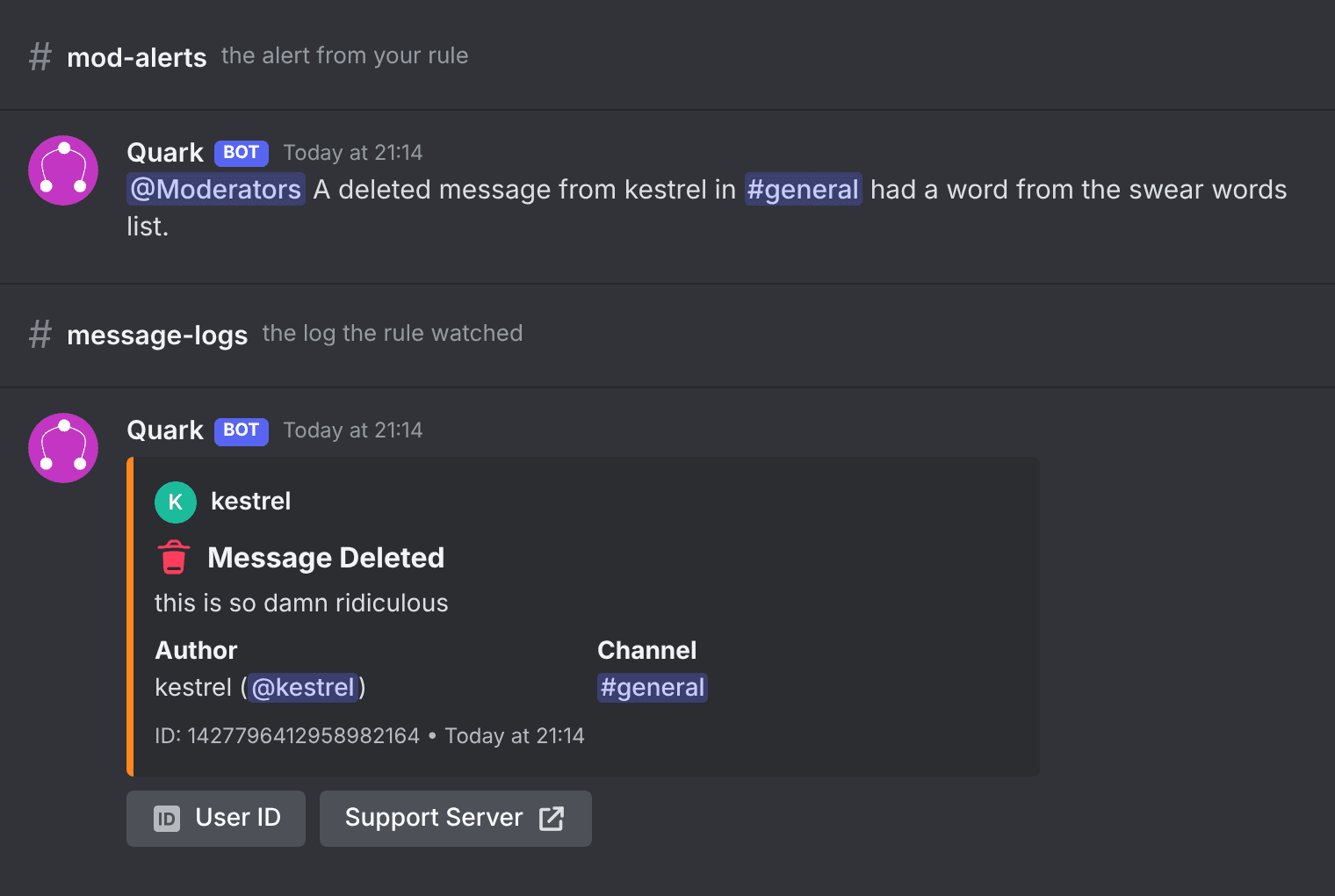
This rule works on the free plan. It adds a notice to the log and alerts your mods whenever a message with a swear word is edited or deleted.
- Open Automations in the dashboard and press New rule, then Start from scratch.
- Under When, choose Delete Single Message and Edit Message.
- Under And only if, add It's on a list of words. Choose the message, contains a word from, and Swear words (English), or another language.
- Under Then, choose Add a notice to the log, for example
Contains swearing. - Add a second action, Post an alert in a channel, and pick
#mod-alerts. - Press Try it to check it against sample logs, switch on Dry run for a day, then Save rule.
Tutorial: catch scam links edited into messages
A common trick is to post something harmless, wait for it to slip past, then edit a scam link ("free Nitro", a fake Steam gift) into it. Quark logs every edit, so a rule can catch it.
- Press New rule and choose the idea for a message with a known scam link.
- It watches Edit Message and Delete Single Message, and And only if checks the message against Scam and phishing links.
- The rule can flag the log and alert your mods. On an edited message it can also reply to warn everyone.
- It can also delete the edited message and time the poster out for an hour. All of this works on every plan.
- Save rule.
More on how the scam link lists work is on the scam link blocker page.
More things to check against a list
Lists aren't only for messages. A rule can check any text a log holds:
- Nicknames and usernames, for offensive names.
- File names, against Risky file types.
- The reason on a ban or kick.
- A voice channel's status, a place Discord's AutoMod doesn't look. See the voice channel status filter.
What each plan gets
| Free | Pro Lite | Quark Pro | |
|---|---|---|---|
| Lists of words, including Quark's | Yes | Yes | Yes |
| Alerts, notices, replies, reactions | Yes | Yes | Yes |
| Rules | 1 | 3 | 25 |
| Delete the message, time out, kick, ban | Yes | Yes | Yes |
FAQ
Is the swear word filter free?
Yes. Lists of words, including all of Quark's own lists, work on every plan. The free plan's rule can alert, add a notice, reply, react, delete the message or time someone out.
Which languages do the swear word lists cover?
English, German, Spanish, French, Polish, Portuguese and Turkish.
Will a filter for "ass" catch the word "class"?
No. Words are matched whole, so ass is not found in "class". Case, full-width letters and extra spaces are ignored.
Should I use this instead of Discord's AutoMod?
Use both. AutoMod stops a message before it is posted. Quark's rules run on what Quark logs, so they can also check deleted messages, file names, nicknames, ban reasons and voice channel statuses, which AutoMod never reads.
Every condition and action is in the guide to automations.


